V-Count vs RetailNext :Choisissez la solution adaptée à vos magasins
Choisissez V-Count Nano AI et BoostBI pour la mesure des entrées, l’analyse de la conversion et des recommandations hebdomadaires pour les responsables de magasin. Évaluez RetailNext lorsque votre cahier des charges inclut aussi la vidéo intégrée et la protection des actifs. Comparez la configuration installée, les connexions de données et le prix complet avant de décider.
Voir V-Count en démo live →Rédaction V-Count · Revu le 19 septembre 2026
Un comparatif rédigé par V-Count à partir de sources primaires des fournisseurs, en lien.
Deux plateformes, des priorités d’achat différentes
Les deux fournisseurs proposent leur propre matériel et leurs propres analyses. Partez des décisions que vos équipes en magasin doivent prendre et des fonctions que votre devis doit inclure.
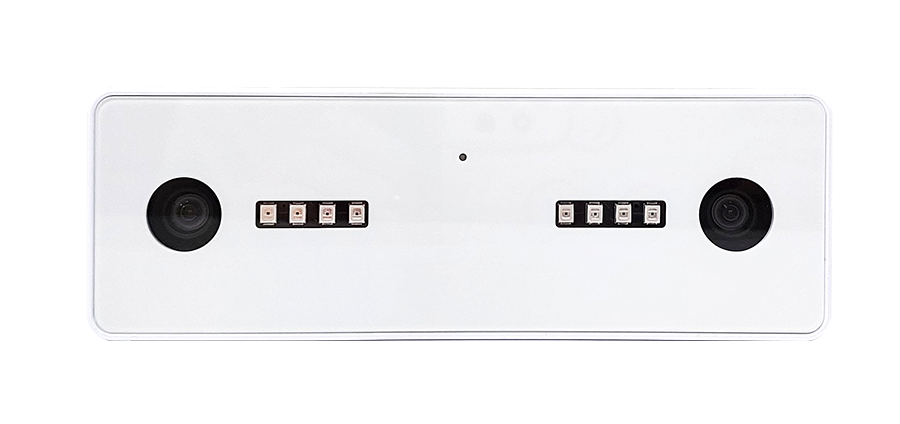
*Les spécifications Nano AI concernent le comptage de personnes. Validez la couverture, l’éclairage et la fréquentation à la position de montage prévue ; les fonctions optionnelles de démographie et d’exclusion du personnel peuvent avoir d’autres exigences de fonctionnement. Source ↗ · Source ↗.
Ce qu’est RetailNext, et pourquoi on le compare à V-Count
Un résumé neutre du fournisseur, fondé uniquement sur des informations publiques. Lorsqu’un détail n’est pas publié, cette page le dit au lieu de l’estimer.
RetailNext est une société d’analyse retail dont le siège est aux États-Unis. Son activité publiée est l’analyse en magasin pour les distributeurs : des capteurs installés aux entrées et sur la surface de vente, combinés à une plateforme cloud hébergée qui rend compte de la fréquentation, des déplacements en magasin et d’indicateurs de performance comme la conversion.
Les distributeurs l’achètent via un processus commercial plutôt qu’une inscription en libre-service, et les conditions commerciales sont communiquées sur demande plutôt que dans une grille tarifaire publique. Cette page ne cite ni prix, ni chiffres de précision, ni noms de clients de RetailNext, car ils ne sont pas publiés sous une forme vérifiable de manière indépendante.
V-Count est présent dans la même catégorie avec un accent différent. La gamme matérielle comprend Nano AI pour le comptage d’entrée par IA, Nano Prime pour les zones et cartes de chaleur et Nano Outdoor pour les entrées extérieures et couvertes, avec des rapports via la plateforme d’analyse BoostBI et VCare pour l’occupation en direct.
Si vous hésitez encore sur la technologie nécessaire avant de présélectionner des fournisseurs, commencez par comptage de personnes et retail store analytics.
Plateforme et connexion RetailNext
Les deux fournisseurs livrent leurs rapports via une plateforme web à laquelle se connectent les responsables de magasin et les analystes du siège. La plateforme et la connexion RetailNext sont destinées aux clients RetailNext existants et accessibles depuis le site du fournisseur ; V-Count n’y a pas accès et ne peut pas réinitialiser d’identifiants.
L’équivalent V-Count est BoostBI, où les mêmes profils voient les rapports de fréquentation, conversion, temps de présence et cartes de chaleur, avec des droits définis par magasin ou par région.
RetailNext vs V-Count en un coup d’œil
Les critères sur lesquels les acheteurs s’interrogent en premier. Les entrées V-Count nomment les produits réels qui vous seraient proposés. Les entrées RetailNext indiquent uniquement ce que publie le fournisseur ; tout le reste est marqué non publié, ce qui signifie qu’il faut le demander, et non que cela manque.
| Critère | V-Count | RetailNext |
|---|---|---|
| Types de capteurs proposés | Nano AI (comptage d’entrée par IA et stéréo 3D), Nano Prime (zones, cartes de chaleur et temps de présence), Nano Outdoor (entrées extérieures et couvertes) | Matériel de capteurs vendu avec la plateforme ; la gamme actuelle figure sur le site du fournisseur |
| Plateforme d’analyse cloud | BoostBI — fréquentation, conversion, temps de présence, cartes de chaleur, vues magasin et région | Plateforme d’analyse cloud hébergée avec rapports en magasin |
| Module de mesure des files d’attente | Oui — analyse des files et du temps d’attente sur les mêmes capteurs | Non publié ; confirmez la disponibilité du module auprès du fournisseur |
| Occupation / capacité en direct | VCare occupation en temps réel avec options d’affichage en magasin | Non publié ; à confirmer auprès du fournisseur |
| Démographie (genre et âge) | Module optionnel et anonyme de reconnaissance du genre et de l’âge | Non publié ; à confirmer auprès du fournisseur |
| Modèle de déploiement | Capteurs sur site avec traitement sur l’appareil ; analyses dans le cloud BoostBI | Capteurs sur site avec une plateforme cloud hébergée |
| Taille de magasin idéale | À partir d’une entrée — un magasin unique et une chaîne de plusieurs centaines de magasins utilisent le même matériel et la même plateforme | Positionnement publié : commerce multi-magasins et grands comptes ; renseignez-vous sur les minimums pour un site unique |
| Modèle de tarification | Achat du matériel plus un abonnement BoostBI par capteur ; structure expliquée sur Tarifs V-Count | Non publié — disponible sur demande auprès de l’équipe commerciale du fournisseur |
| Propriété des données et confidentialité | Traitement sur l’appareil, résultats d’analyse non identifiables, données exportables via API REST et rapports planifiés | La documentation sur la confidentialité est publiée sur le site du fournisseur ; confirmez la conservation et la propriété dans le contrat |
Retail Next vs NXT : ce n’est pas la même chose
Ces deux noms sont régulièrement confondus dans les résultats de recherche et les documents d’achat ; mieux vaut donc les distinguer avant toute comparaison. RetailNext, en un seul mot, est la société d’analyse retail décrite ci-dessus. « NXT » est un suffixe de marque et de modèle utilisé par plusieurs entreprises, dans la technologie retail et en dehors ; ce n’est pas une abréviation de RetailNext et il ne désigne pas une catégorie de produit unique.
Si une fiche technique, un devis ou une ligne d’appel d’offres mentionne « NXT », vérifiez la raison sociale sur le document avant de l’intégrer à une comparaison, car les spécifications derrière les deux noms n’ont aucun rapport. V-Count écrit ses noms de produits en entier — Nano AI, Nano Prime, Nano Outdoor, BoostBI et VCare — pour qu’un devis soit sans ambiguïté.
Pour une comparaison équivalente avec un autre fournisseur souvent comparé, voir V-Count vs ShopperTrak.
Comparez la configuration que vous utiliserez réellement
Une fonctionnalité publiée n’est pas automatiquement activée dans chaque offre. Demandez aux deux fournisseurs de confirmer le modèle proposé, les fonctions logicielles et le test de réception.
| Besoin de l’acheteur | V-Count : Nano AI + BoostBI | RetailNext : Aurora + plateforme |
|---|---|---|
| Matériel | Nano AI : comptage de personnes 3D dédié avec traitement embarqué. Source ↗ | Aurora : analyse stéréo, traitement edge et fonctions vidéo. Source ↗ |
| Précision de comptage | Jusqu’à 99 % ; validez votre entrée et vos règles de comptage. Source ↗ | Plage publiée de 95 à 99 %, avec audits d’installation. Source ↗ |
| Montage et couverture | 2,2–7 m pour le comptage de personnes Nano AI. Confirmez la largeur, la couverture de l’objectif et les limites des fonctions optionnelles. Source ↗ | Confirmez la hauteur, l’objectif et la couverture du modèle Aurora proposé ; la fiche examinée n’indique pas de maximum. Source ↗ |
| Comptage dans l’obscurité | 0 lux grâce aux LED infrarouges intégrées. Source ↗ | Le lux minimum n’est pas précisé dans la fiche examinée ; demandez la configuration proposée pour la faible luminosité. Source ↗ |
| Exclusion du personnel | Trois méthodes ; choisissez la méthode compatible et la sous-licence BoostBI. Source ↗ | L’exclusion du personnel est disponible ; la fiche Aurora décrit l’UWB. Source ↗ |
| Genre et âge | Estimation du genre et de l’âge dans le même capteur Nano AI, avec la configuration et la licence appropriées. Source ↗ | Démographie par genre documentée ; estimation de l’âge non confirmée dans les sources examinées. Source ↗ |
| Recommandations pour les managers | AI Sales Coach : recommandations hebdomadaires propres à chaque magasin dans BoostBI. Source ↗ | L’analyse conversationnelle Pulse AI et les prévisions de personnel sont documentées. Source ↗ |
| Confidentialité et flux de données | Traitement sur l’appareil avec résultats d’analyse non identifiables. Vérifiez les données d’intégration, la conservation et les accès. Source ↗ | Contrôles de confidentialité configurables et fonctions vidéo. Vérifiez la configuration et la conservation. Source ↗ |
| Modèle commercial | Achat du matériel + abonnement BoostBI par capteur, sous-licences choisies incluses. Source ↗ | L’abonnement inclut le matériel Aurora ; des services propres au site peuvent s’ajouter. Source ↗ |
| Intégrations | Shopify et Nebim en natif ; autres intégrations opérationnelles et connexions API REST cadrées. Source ↗ | Intégrations caisse et accès API documentés ; confirmez les systèmes précis. Source ↗ |
Non spécifié signifie que la source examinée n’établit pas le détail, et non que le fournisseur n’a pas la capacité. La précision de comptage est distincte de la précision démographique ou de l’exclusion du personnel.
Transformez de meilleures données visiteurs en décisions pour vos magasins
V-Count réunit la mesure des entrées et un processus de reporting actionnable. Voici trois bénéfices à démontrer avec votre propre équipe retail.
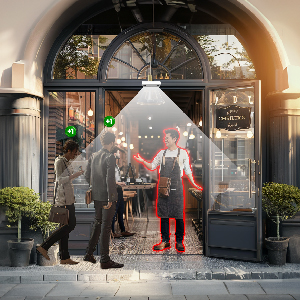
Tenir les déplacements du personnel hors des comptages clients
Lorsque le personnel franchit régulièrement l’entrée, les trois méthodes d’exclusion de V-Count offrent des options pour protéger la base de visiteurs. Choisissez la méthode adaptée à votre équipe et validez-la séparément des passages totaux.

Mesurer les entrées sous une lumière changeante
Les LED infrarouges intégrées de Nano AI permettent le comptage de personnes à 0 lux. Incluez vos conditions d’exploitation les plus sombres dans le test et confirmez la couverture à la hauteur prévue, surtout lorsqu’un plafond haut ou une porte large influence le positionnement.
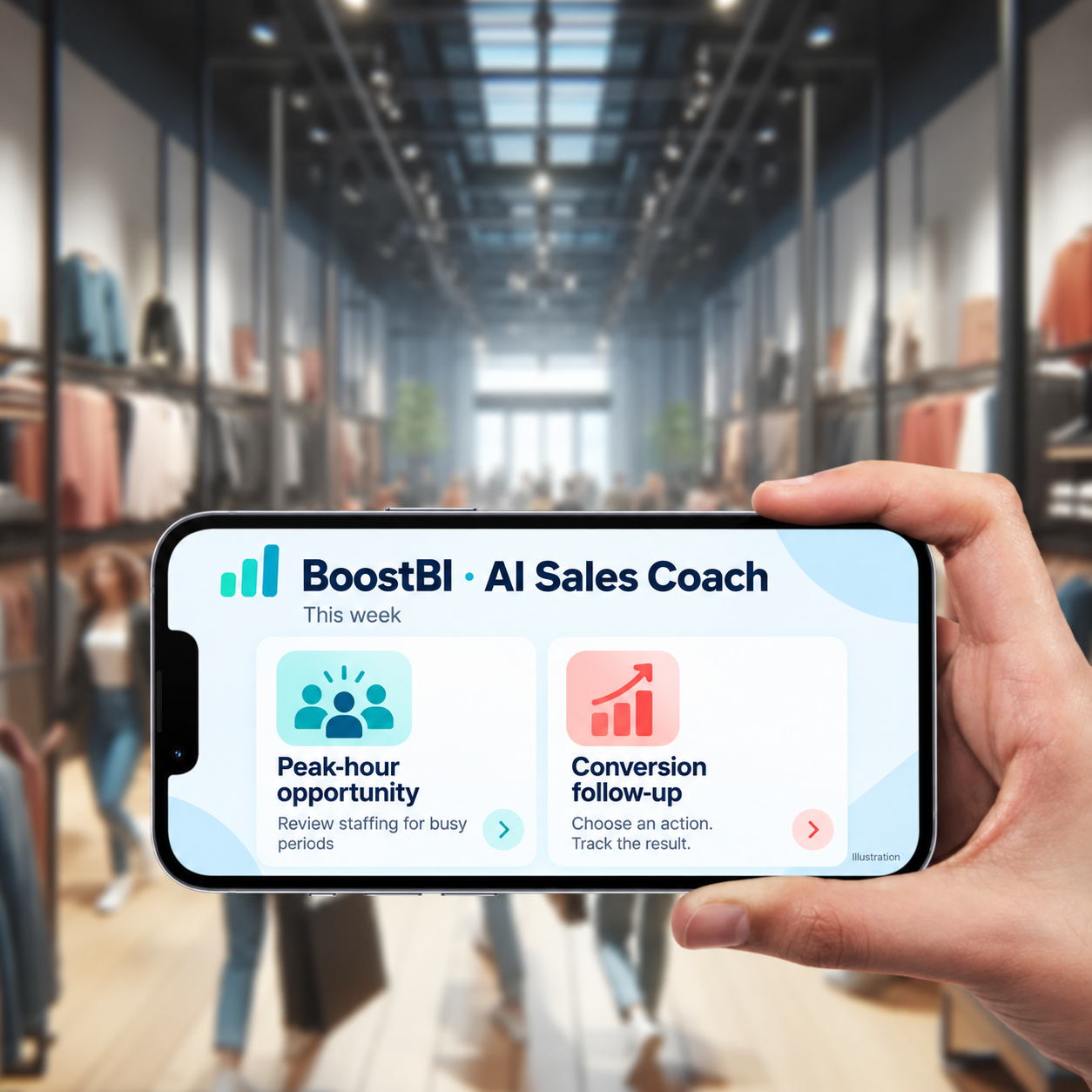
Donner chaque semaine une prochaine étape aux managers
L’AI Sales Coach de BoostBI utilise les données disponibles du magasin pour fournir des recommandations hebdomadaires. Les managers peuvent choisir une action sur le personnel ou la conversion, en examiner le résultat et améliorer sans cesse leur routine.
Reliez la fréquentation aux systèmes que vous utilisez déjà
Pour le reporting de conversion, V-Count fournit la mesure des visiteurs et la relie aux données de vente compatibles dans BoostBI. Des connecteurs natifs Shopify et Nebim sont disponibles ; VendPOS, Nayax, ImagineX et QuickBooks sont des intégrations opérationnelles. L’import manuel des ventes et des connexions API REST cadrées offrent d’autres possibilités. Découvrir les options d’intégration BoostBI.
RetailNext documente aussi l’intégration aux caisses et l’accès API. Confirmez le système et les champs pris en charge au lieu de considérer « dispose d’une API » comme la preuve qu’un flux de fidélité, de stock ou d’ERP est prêt.
La fréquentation est une donnée de visite anonyme ; la rapprocher de clients fidélité identifiés serait un projet distinct avec ses propres exigences de données.
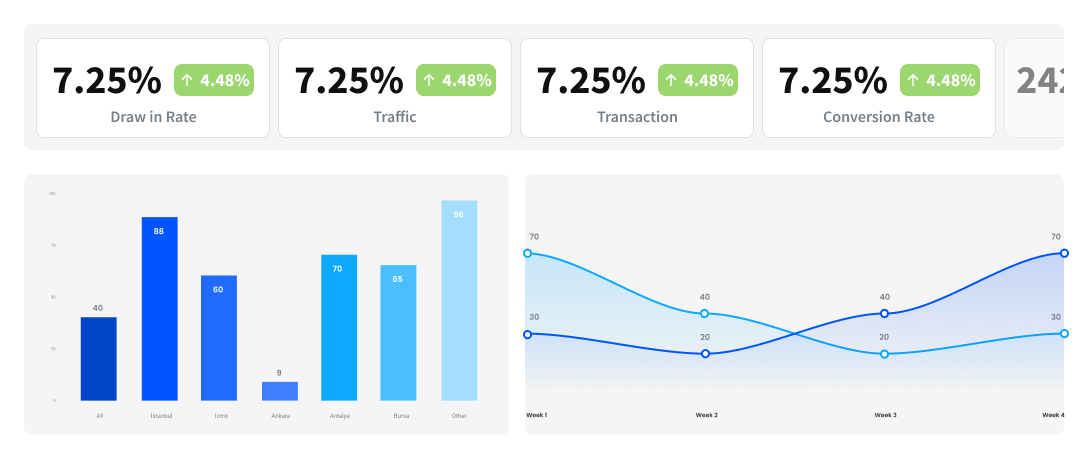
Fixez les règles de reporting avant de comparer les résultats
Conversion d’achat = transactions d’achat éligibles ÷ visites éligibles en magasin × 100. Alignez les identifiants de magasin, les fuseaux horaires et des périodes de reporting complètes. Définissez de façon cohérente les retours, annulations, entrées répétées, l’exclusion du personnel et le comptage des groupes. Les visites ne représentent pas automatiquement des clients uniques.
BoostBI se met généralement à jour toutes les 10 minutes ; les configurations temps réel activées peuvent se mettre à jour jusqu’à chaque minute. L’arrivée des données de caisse est distincte. Confirmez la gestion des trous de données, les imports historiques, les formats d’export et qui prend en charge chaque connexion avant le déploiement.
Comparez les mêmes entrées sur la même durée
Les fourchettes publiques de V-Count sont 299–799 $ par capteur, une fois, et 9–49 $ par capteur et par mois pour BoostBI. Le tarif BoostBI proposé inclut les sous-licences choisies ; l’accès API, l’exclusion du personnel, la démographie, les files d’attente et les cartes de chaleur ne sont pas tous activés à chaque niveau de prix. Consultez les tarifs V-Count actuels et demandez un devis propre à votre configuration.
L’estimateur actuel de RetailNext calcule un abonnement à partir des magasins, des entrées, du secteur, de la région et de la technologie existante. Le matériel Aurora est inclus. Sa page tarifaire mentionne l’installation, le montage sur mesure, le câblage et les intégrations personnalisées comme coûts supplémentaires possibles. Utilisez la source tarifaire RetailNext pour connaître les éléments inclus actuellement.
Coût comparable du projet = matériel non inclus dans l’abonnement + installation et travaux sur site + abonnement sur la durée convenue + frais d’intégration et de support + livraison et taxes applicables.
Demandez ces hypothèses par écrit
- Couverture : magasins, entrées, largeur, hauteur de montage, nombre de capteurs et toute couverture séparée de zones ou de files.
- Alimentation et réseau : alimentation 5 V et option PoE externe de Nano AI, accessoires de montage, câblage et préparation du site.
- Reporting : analyses activées, droits API, connecteur de caisse, données historiques, exports et fréquence d’actualisation.
- Conditions commerciales : devise, période de facturation, durée minimale, renouvellement, propriété du matériel, garantie et éventuels frais d’installation ou d’intégration.
- Support : responsabilités à distance et sur site, délais de réponse, couverture régionale et formation à la prise en main.
Utilisez le guide d’achat des fournisseurs de comptage de personnes pour une présélection plus large et une liste d’exigences cohérente. V-Count peut transformer cette liste en proposition Nano AI et BoostBI pour vos magasins.
Prouvez l’adéquation sur une entrée représentative
- Fixez l’objectif. Choisissez le reporting de fréquentation, le personnel, la conversion ou une autre décision définie. Sélectionnez le matériel V-Count et les fonctions BoostBI nécessaires.
- Vérifiez le site. Relevez la hauteur, la largeur, l’éclairage, les obstacles, l’alimentation et la connectivité. Confirmez le montage et la couverture avant l’installation.
- Validez les comptages. Comparez les événements d’entrée et de sortie à la même référence observée de façon indépendante, y compris les pics, les groupes et les passages du personnel. Notez séparément les comptages manqués et en trop.
- Rapprochez les rapports. Testez les correspondances de caisse, les périodes et les exclusions. Convenez d’un niveau acceptable de complétude des données et de qui corrige les informations manquantes.
- Planifiez la transition. Confirmez les droits d’export des données historiques, le contrat existant, les contacts support et la formation des managers avant d’étendre à d’autres magasins.
Un pilote détermine votre performance réelle une fois installée. Ni un argument produit ni un témoignage client ne garantit une hausse de conversion pour un nouveau distributeur.
V-Count vs RetailNext : les questions des acheteurs
Quelle solution d’analyse des clients convient à un distributeur de taille moyenne ?
Quelles fonctions d’analyse de type RetailNext un petit distributeur doit-il privilégier ?
Comment V-Count et RetailNext s’intègrent-ils aux systèmes de caisse, de fidélité et de stock ?
Comment ShopperTrak, RetailNext et V-Count se comparent-ils en analyse retail ?
Comment comparer les prix de V-Count et de RetailNext ?
Puis-je passer de RetailNext à V-Count ?
Quelles fonctionnalités RetailNext propose-t-il pour l’analyse retail ?
RetailNext publie une plateforme d’analyse en magasin couvrant le comptage de fréquentation, les déplacements en magasin et le reporting de performance, fournie via un tableau de bord cloud avec des capteurs aux entrées et dans le magasin. Les modules activés dans un devis donné ne sont pas publiés sous forme de liste fixe ; demandez donc par écrit l’ensemble des fonctionnalités activées avant de comparer.
L’équivalent chez V-Count est concret : Nano AI ou Nano Prime à l’entrée, Nano Outdoor pour les comptages extérieurs, BoostBI pour les rapports de fréquentation, conversion, temps de présence et cartes de chaleur, VCare pour l’occupation en direct et un module optionnel et anonyme de genre et d’âge. Voir retail store analytics.
Qu’est-ce que RetailNext et que fait-il ?
RetailNext est une société américaine d’analyse retail. Elle vend des capteurs pour magasins avec une plateforme d’analyse cloud permettant aux distributeurs de compter les visiteurs qui entrent, de voir comment la fréquentation circule et de suivre des indicateurs comme la fréquentation et la conversion pour un magasin ou une chaîne entière.
Elle s’achète via un processus commercial plutôt qu’en libre-service, et les prix sont communiqués sur demande. V-Count répond au même besoin avec les capteurs Nano AI et BoostBI, en ajoutant la mesure des files d’attente et l’occupation en direct VCare sur les mêmes appareils.
Commencez par comptage de personnes pour comprendre la technologie sous-jacente.
Quelles sont les principales différences entre Retail Next et NXT en matière d’analyse en magasin ?
Il ne s’agit pas de deux versions d’un même produit, et les noms sont souvent confondus. RetailNext, en un seul mot, est la société d’analyse retail décrite sur cette page. « NXT » est un suffixe de marque ou de modèle utilisé par plusieurs entreprises, dans la technologie retail et en dehors ; ce n’est pas une abréviation de RetailNext.
Si une fiche technique, un devis ou un appel d’offres mentionne « NXT », vérifiez la raison sociale sur le document avant de l’intégrer à une comparaison, car les spécifications derrière les deux noms n’ont aucun rapport. V-Count écrit ses produits en entier — Nano AI, Nano Prime, Nano Outdoor, BoostBI, VCare — pour que les devis restent sans ambiguïté.
RetailNext convient-il aux petites entreprises ou aux grands distributeurs ?
Le positionnement publié de RetailNext est le commerce multi-magasins et les grands comptes : des chaînes avec plusieurs sites, une fonction d’analyse au siège et un processus d’achat établi. Qu’un site unique ou une petite chaîne soit éligible dépend de conditions contractuelles minimales communiquées sur demande ; posez donc la question directement plutôt que de supposer.
V-Count est volontairement vendu aux deux extrémités de ce spectre. Une entrée avec un seul capteur Nano AI et une licence BoostBI est une configuration de départ valable, et le même matériel et la même plateforme évoluent jusqu’à des centaines de magasins sans changement de plateforme.
Voir comment V-Count structure le matériel, la licence et le support.
Sources primaires de ce comparatif
Revu le 19 septembre 2026 par la rédaction V-Count. Les prix et le périmètre des produits peuvent changer. Confirmez le modèle cité et les fonctions choisies dans une proposition à jour.
- Informations produit V-Count Nano AI
- Fonctionnalités et intégrations BoostBI
- Tarifs V-Count
- Guide d’achat des fournisseurs de comptage de personnes
- Capteur RetailNext Aurora
- Fiche technique produit Aurora
- Prix et éléments inclus RetailNext
- RetailNext Traffic Analytics
- Résumé des fonctions démographiques RetailNext
- Plateforme RetailNext et comparaison IA
- Intégrations FootfallCam V9
- Sensormatic ShopperTrak Traffic Insights
Découvrez V-Count selon les besoins de vos propres magasins
Apportez les dimensions de vos entrées, vos objectifs de reporting et votre système de caisse. Nous vous montrerons comment Nano AI et BoostBI peuvent soutenir votre prochaine décision en magasin.