Solution · Heatmap & zone analytics
Heatmap & Zone AnalyticsSee where shoppers go, where they stop and which areas they miss
V-Count heatmap and zone analytics shows what happens after visitors walk in. A Nano Prime sensor on the ceiling measures zone visits, dwell time, heatmaps and visitor flow across the sales floor, and BoostBI turns them into reports.
Add Nano AI at the entrances and you see how many people came in, where they went and which areas they never reached.
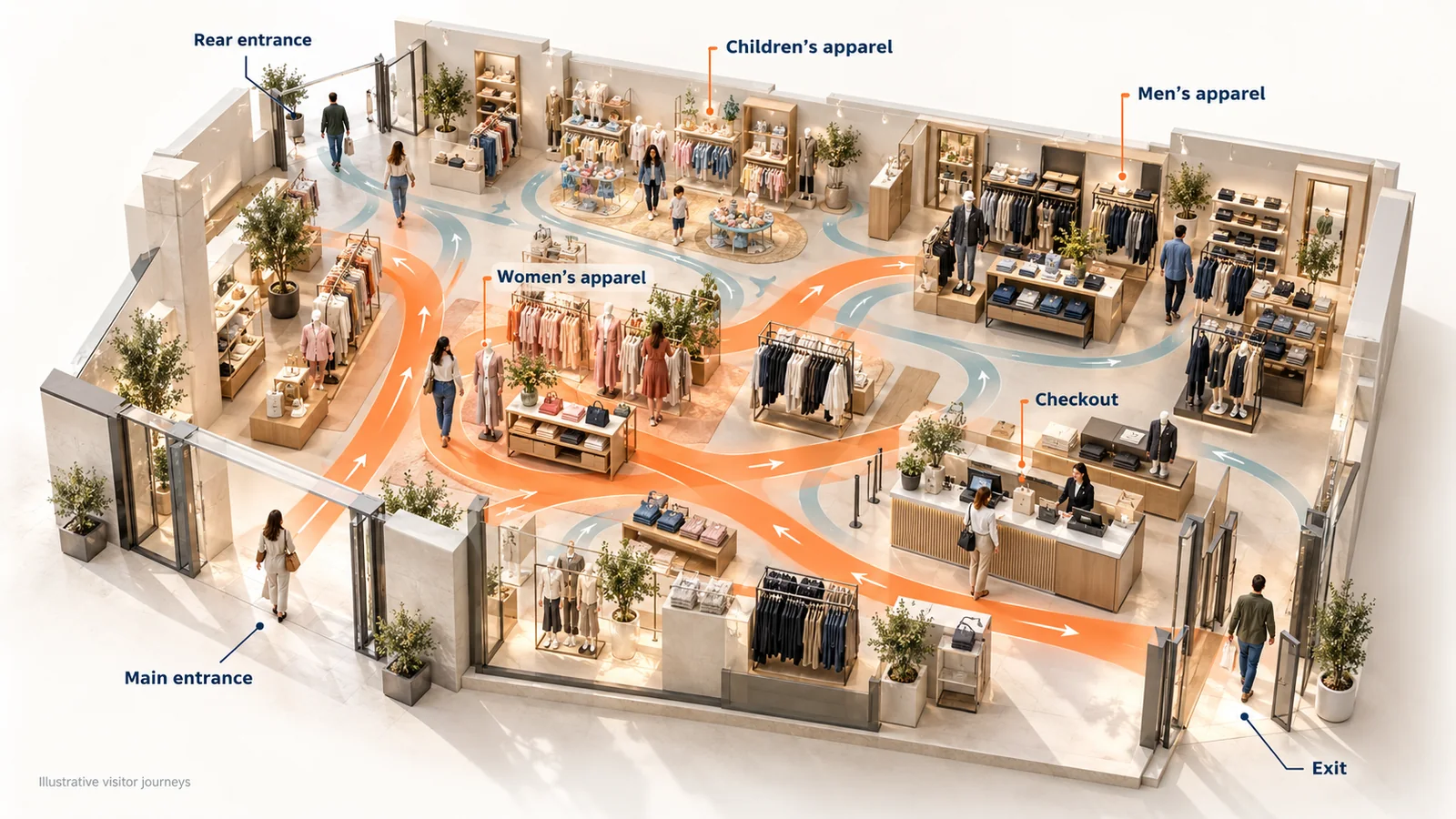

One ceiling view. Four answers.
A door counter tells you how many people came in. Nano Prime shows what they did next. Its fisheye view covers open floor space from one ceiling position and measures activity across the departments, displays and aisles you choose.
Explore Nano PrimeZone visits
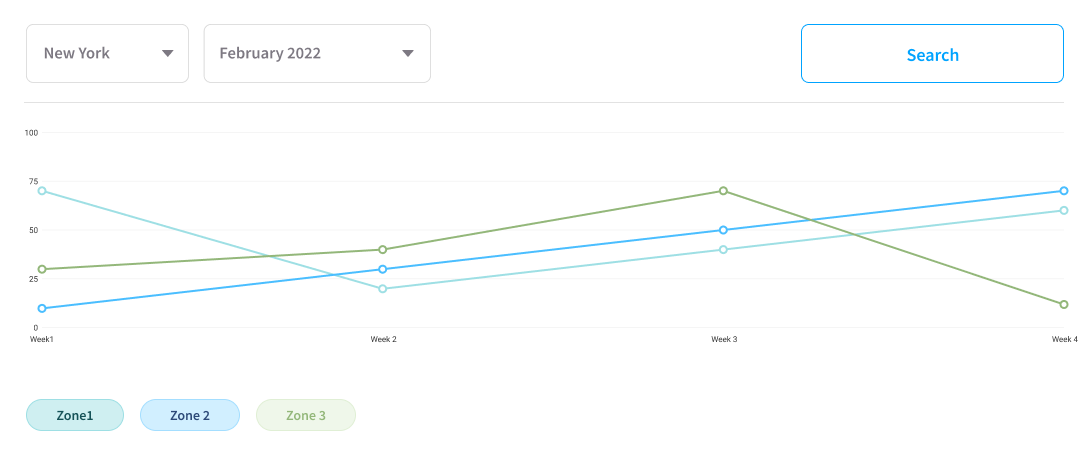
How many visits each department, display or area receives, as a number you can trend week over week.
Dwell time
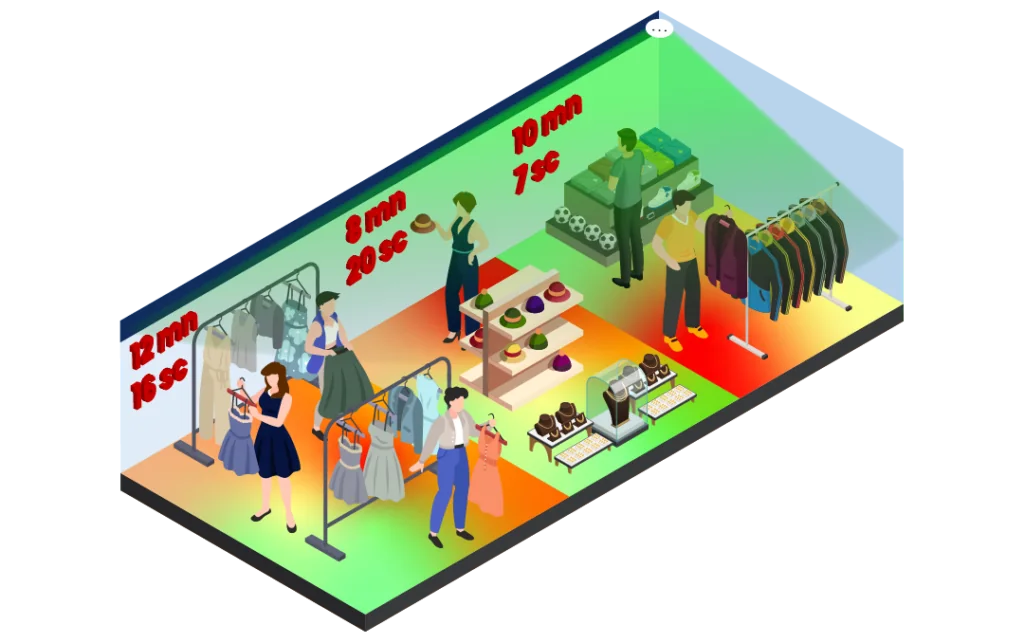
How long visitors stay in each zone, so you can tell a display that holds attention from a spot people walk across.
Heatmaps
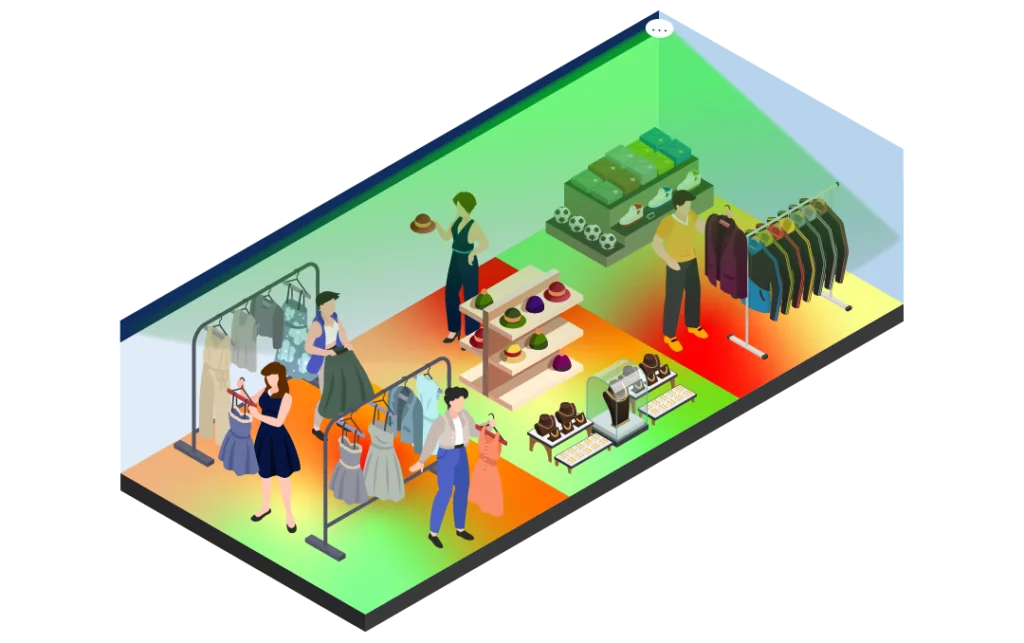
Accumulated dwell time projected onto your store layout, so anyone can see busy and overlooked areas in seconds.
Visitor flow
The most and least popular routes between your zones, including the areas visitors skip.
Nano Prime measures inside the store. Nano AI counts the entrances. Both report to the same BoostBI account.
What a retail heat map shows
A door counter answers “how many people came in?”. Retail heat mapping answers “what happened after they walked in?”. It turns anonymous in-store movement into a picture of where shoppers go, how long they stay and which areas convert.
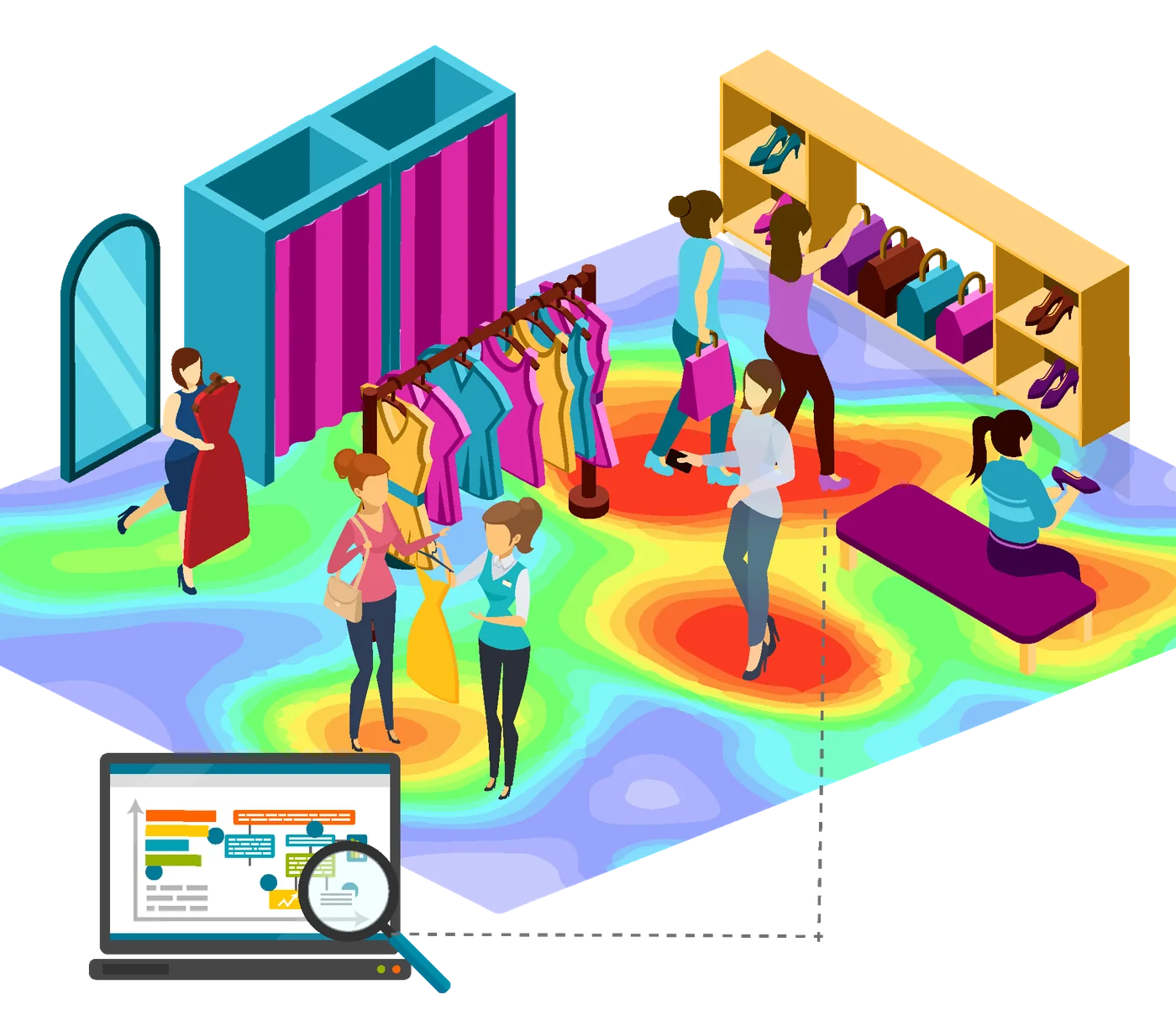
A complete picture is built from five layers
- Dwell heatmaps: colour intensity based on how long visitors stay in an area.
- Path and flow maps: the routes shoppers actually take, where traffic splits and which aisles act as bottlenecks.
- Zone counts: the visitors entering each defined zone in a period, as a number you can report and compare.
- Fixture engagement: activity at a single fixture, gondola end, promotional table or demo unit.
- Conversion by zone: zone visits compared with sales for the categories in that zone.
Read together, these layers expose two problems every floor plan has: hot zones that already hold attention and should carry your highest-margin products, and dead zones you pay rent, lighting and cleaning on without return.
Retail heat mapping vs zone analytics: which do you need?
The two terms are often used as if they meant the same thing. They come from the same sensor data, but they answer different questions and serve different people. In practice, retailers use both.
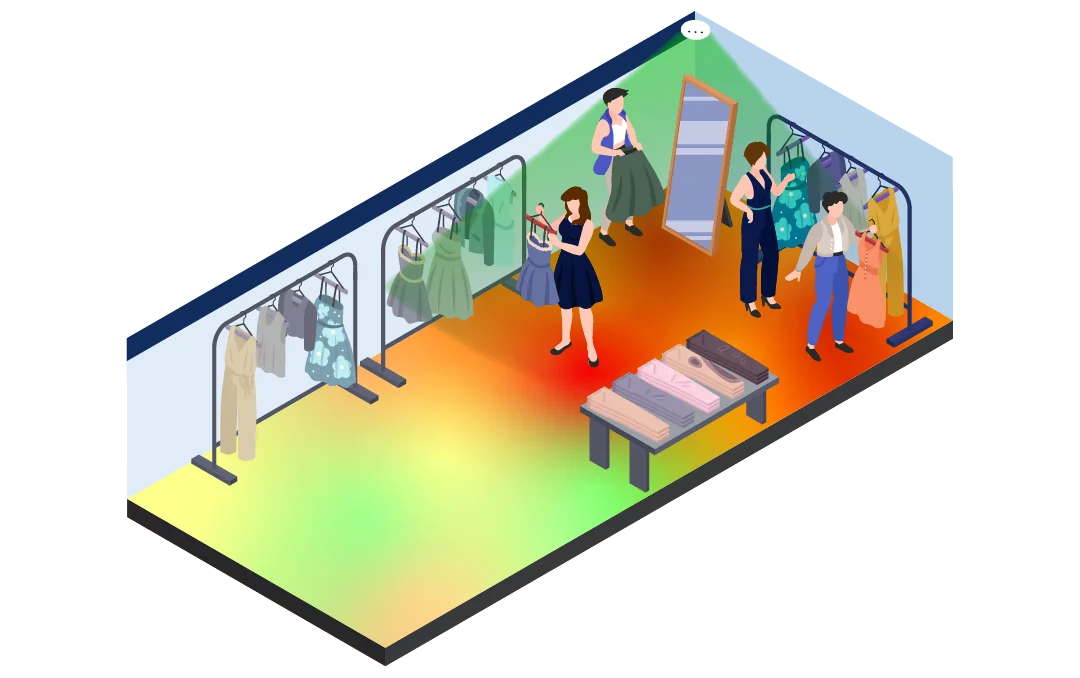
Retail heat mapping
Renders movement and dwell as colour over a floor plan, so a store manager, visual merchandiser or landlord can see the pattern in seconds without reading a table. Its strength is discovery: it shows you where to look. Its limit is precision, because a colour gradient is hard to trend, budget against or put into a KPI.
Use it when you are exploring:
- After a refit or when launching a new category
- When a store underperforms and nobody knows why
- When you need to show a stakeholder that a corner really is dead
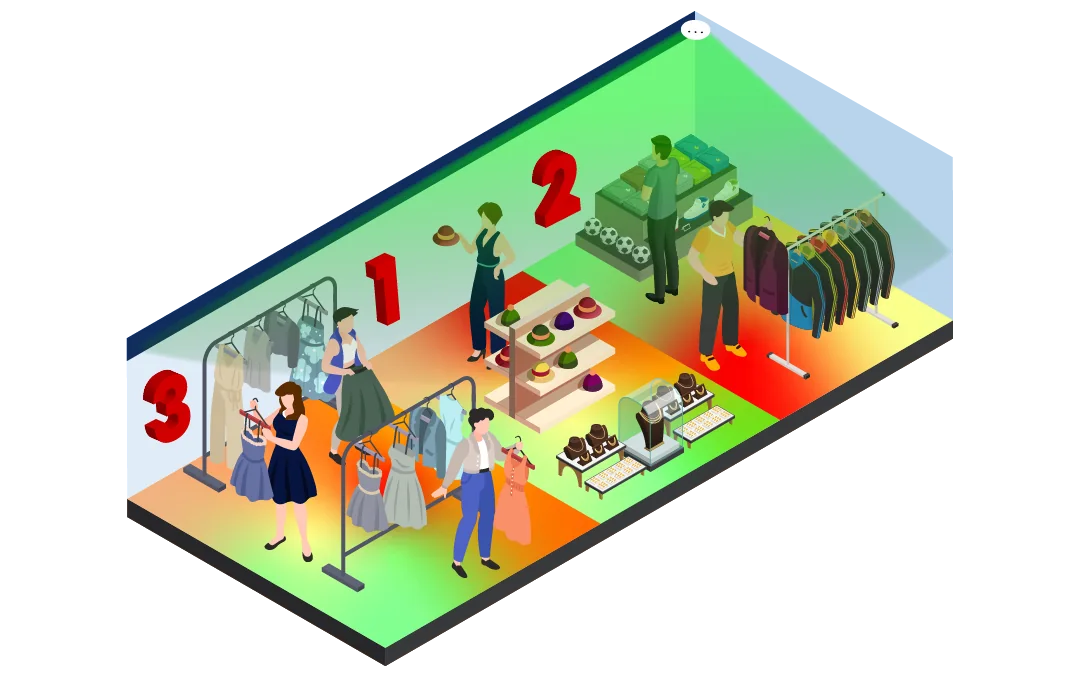
Zone analytics
You draw named zones, such as Womenswear, Electronics, Checkout, Service Desk or Window Display, and the system reports visitors, dwell time, capture rate and, with sales data, conversion for each one as numbers over time. Its strength is accountability: set a target for a zone, compare two stores, or test a change and measure the result.
Use it when you are managing:
- Weekly reporting and staffing rotas
- Promotional measurement and landlord reporting
- Any decision that has to be defended with a figure
The practical rule: heat maps generate the hypothesis, zone analytics tests it. That is why V-Count treats them as one product view, not two separate reports.
How V-Count builds heatmaps and zone data
There is no separate heatmap camera. The heatmap is a view generated from the anonymous position data that Nano Prime already produces, so zone visits, dwell time and heatmaps all come from one source.
Nano Prime watches the floor from above
Nano Prime mounts on the ceiling with a clear view of the area you want to measure. Its fisheye view and high-resolution grid cover open floor space, with 120 m² as the published coverage reference at a mounting height of 4.5 m.
Movement is processed on the device
Nano Prime uses V-Count’s AI on CHIP technology to process movement on the sensor. No faces are stored and no individual is identified. The zone record is a count and a duration, not a person.
Zones are drawn on your floor plan in BoostBI
Each zone becomes a reportable object with its own visitor count, average dwell time and share of total traffic. Zones are software definitions, so you can redraw them after a refit or add a temporary zone around a seasonal promotion without touching the hardware.
Heatmaps, reports and exports
BoostBI renders the heatmap over the same plan, so you can switch between the colour map and the zone table without leaving the report. Data is available as scheduled reports, dashboards by store or region, and through a REST API into your BI stack or data warehouse.
Privacy by design: Nano Prime processes data on the device and sends only non-identifiable analytics to BoostBI. V-Count is ISO 27001 certified.
Nano Prime inside, Nano AI at the door
Nano Prime answers “what happened inside?”. An entrance counter such as Nano AI answers “how many came in?”. Most stores need both, and every sensor reports to the same BoostBI account.
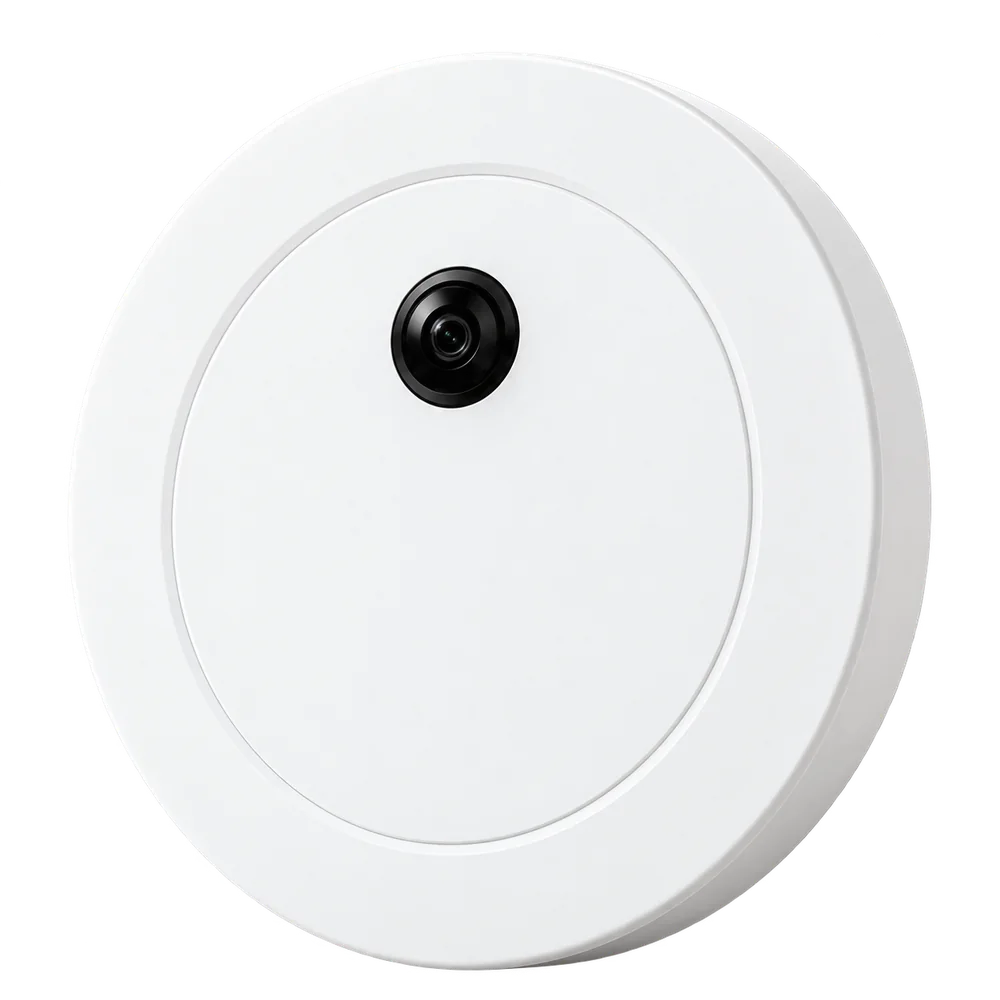
Nano Prime: zones, dwell time and heatmaps
V-Count’s indoor wide-area sensor for zone measurement, heatmaps, dwell and visitor flow. It is the sensor behind heatmap and zone analytics.
- 120 m² coverage reference at a mounting height of 4.5 m, confirmed from your floor plan
- Fisheye view with a high-resolution grid for display-level detail
- Battery-free operation with on-device processing
- Heatmaps are a separately selectable sublicence

Nano AI: how many came in
Nano AI counts entries, exits and live occupancy at indoor entrances, with up to 99% accuracy at a defined entrance line. With store visits from Nano AI and zone visits from Nano Prime, BoostBI can show what share of visitors reached each zone.
- Mounts on the ceiling at 2.2–7 m
- Age & gender recognition and staff exclusion on the same sensor
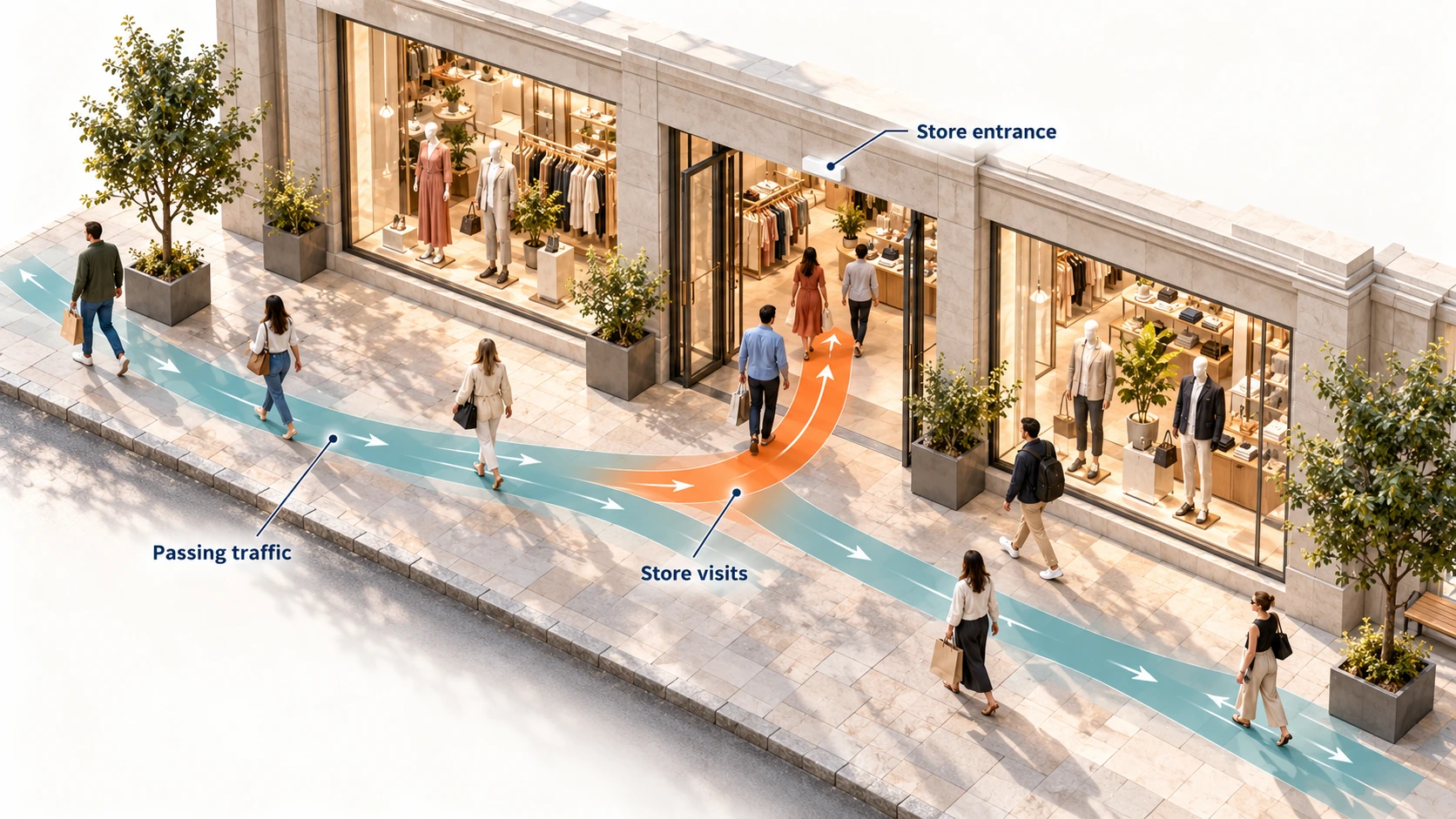
Nano Outdoor: external entrances
For mall entrances, forecourts and car park approaches, where the count has to cope with weather and ambient light. Nano Outdoor is an IP65 weather-resistant people counter that reports to the same BoostBI account.
Explore Nano OutdoorDecisions retailers make with heat map data
Heat maps are only worth the install if they change something. These are the decisions zone analytics data is actually used for.
Planogram and category adjacency
Zone visits and dwell show which categories pull traffic and which are passed by. Move slow categories into the natural path from the entrance, put impulse lines on the main route and back planogram changes with movement evidence.
Fixture and display placement
Fixture-level engagement shows whether a gondola end, demo table or window display earns its floor space. If a premium display sits in a cold zone, the location is the problem, not the display. Move it and measure the same zone again.
Staffing to hot zones
Dwell by hour shows when each zone peaks, and those peaks rarely match the entrance peak. Schedule advisers into the zones and fitting rooms when they are busy, without adding hours to the rota.
Promotional testing
Run a promotion in Store A and not in Store B, or in one half of the floor only, then compare zone visits, dwell and conversion for the same period. A campaign review becomes a controlled test.
Mall tenant mix and leasing
Zone-level flow shows which corridors, floors and entrances carry traffic, which anchor pulls visitors past which units, and where footfall dies. Landlords use it to price units and plan tenant mix.
Shopping mallsShowrooms and specialist retail
The method works well beyond fashion and grocery. In car showrooms, dwell at individual vehicles changes how sales staff are deployed.
Zone analytics in car showrooms
Why dwell time tells you more than footfall
Footfall cannot tell a shopper who stopped to consider a product from one who walked past on the way to the till. Dwell can. A zone with high visits and very low dwell is a corridor, not a destination, and merchandising it like a destination wastes stock and space.
- Many short stays: visitors pass through, so the area may work as a corridor
- A mix of short and long stays: some visitors engage, others move on
- Many long stays: strong engagement, or a queue, or a slow service point
- Agree the cut-off times for short, medium and long stays and keep them the same over time
Worked example to show the arithmetic, not customer data: zone share of store visits = zone visits ÷ eligible store visits × 100, over the same period. 300 ÷ 1,200 × 100 = 25%.

Zone data next to footfall and sales in BoostBI
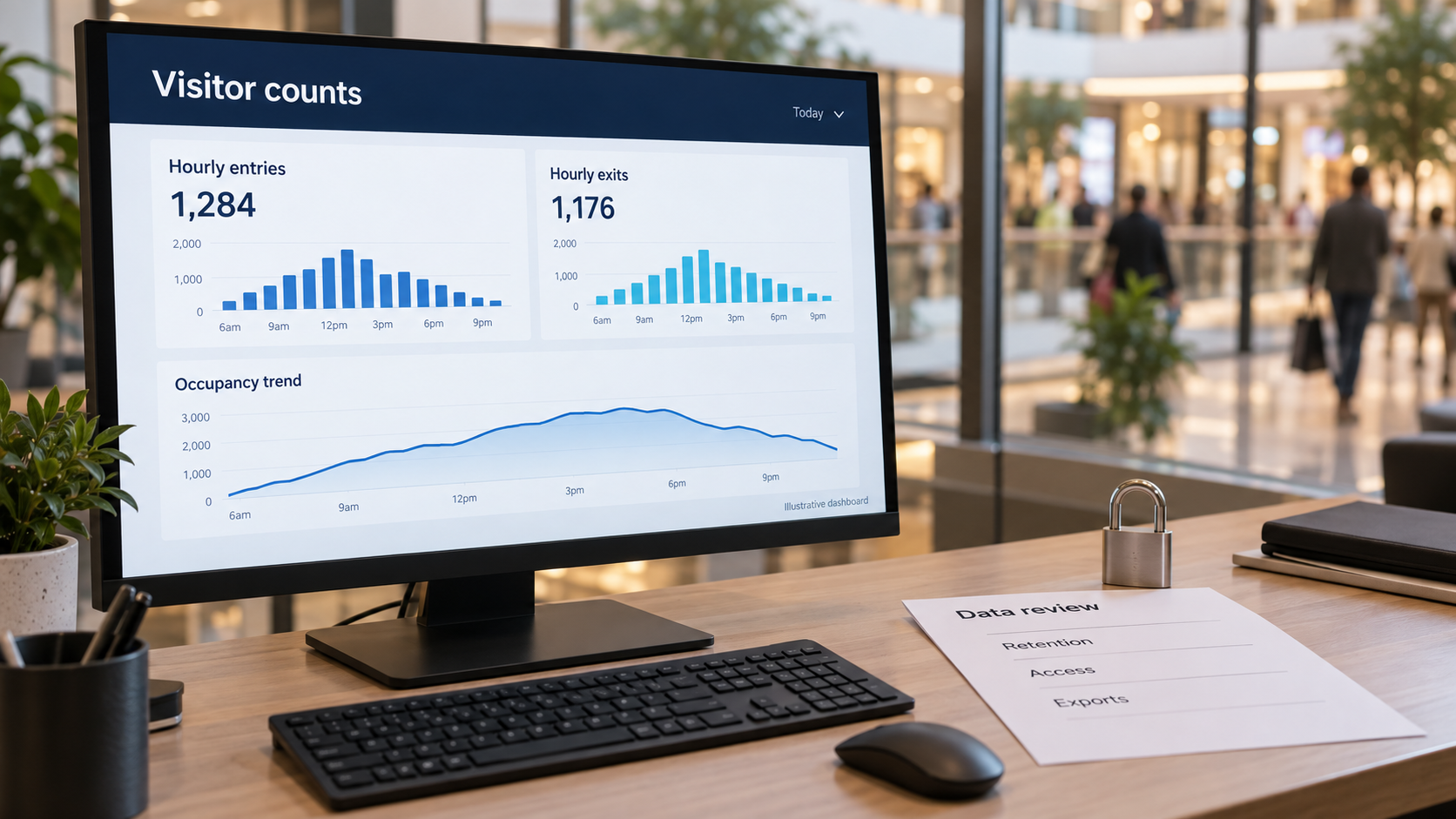
BoostBI is V-Count’s analytics dashboard and mobile app. It puts zone data from Nano Prime next to entrance counts and sales, with the same zone definitions across comparable locations.
- Zone visits, dwell time and share of traffic by hour, day, store and region
- Heatmap and zone table on the same floor plan
- Before-and-after comparison of layout and display changes
- Sales by category next to zone activity, through native Shopify and Nebim connectors, integrations with VendPOS, Nayax, ImagineX and QuickBooks, manual sales import or a scoped REST API
- Reports typically refresh every 10 minutes, or every minute in enabled real-time configurations
- Weekly AI Sales Coach with suggestions for each store
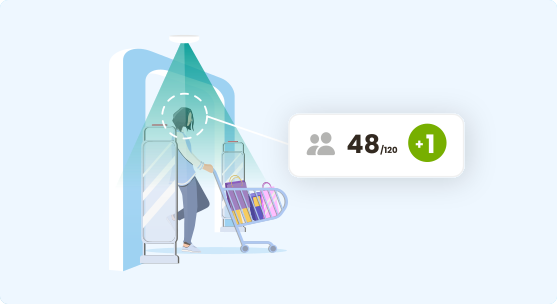
Manage occupancy live with VCare
VCare tracks incoming visitor traffic anonymously and shows live occupancy across your locations, so you can keep to capacity limits and share waiting times with visitors on digital screens.
Explore VCareSetting up heatmap and zone analytics
Start with one area and one question. You can add zones, stores and sensors to the same BoostBI account later.
Send a floor plan and a few photos
Mark the departments or displays you want to measure, plus power and network points. A simple drawing and a few photos from your store manager are enough. V-Count recommends sensor positions within 24 hours.
Photos should show the ceiling, tall fixtures, hanging signs and anything else that could block the view.
Agree the reports and licences
Confirm the zones, reports and BoostBI package in your quote. Heatmaps are a separately selectable sublicence, and pricing is per sensor.
Draw zones along real fixtures
Start with the areas you can act on: entrance and window, each major category, fitting rooms or service desk, and the checkout queue. For a typical specialty store that is five to ten zones.
Do not draw boundaries through the middle of busy aisles. Keep staff out of the data with a lanyard, shoulder tag or mobile app, and test staff movement separately. See staff exclusion.
Collect full weeks, then act
A usable pattern appears within a few days, but retail traffic is strongly weekly. Two to four full weeks give you weekday and weekend behaviour before you change anything.
Check each zone with a short reference observation at a busy time, and keep a dated record of every zone change.
From one store to a whole shopping centre
Heatmap and zone analytics works wherever people move through a space: large open-plan stores, showrooms, lobbies and halls, waiting areas, department stores and malls.
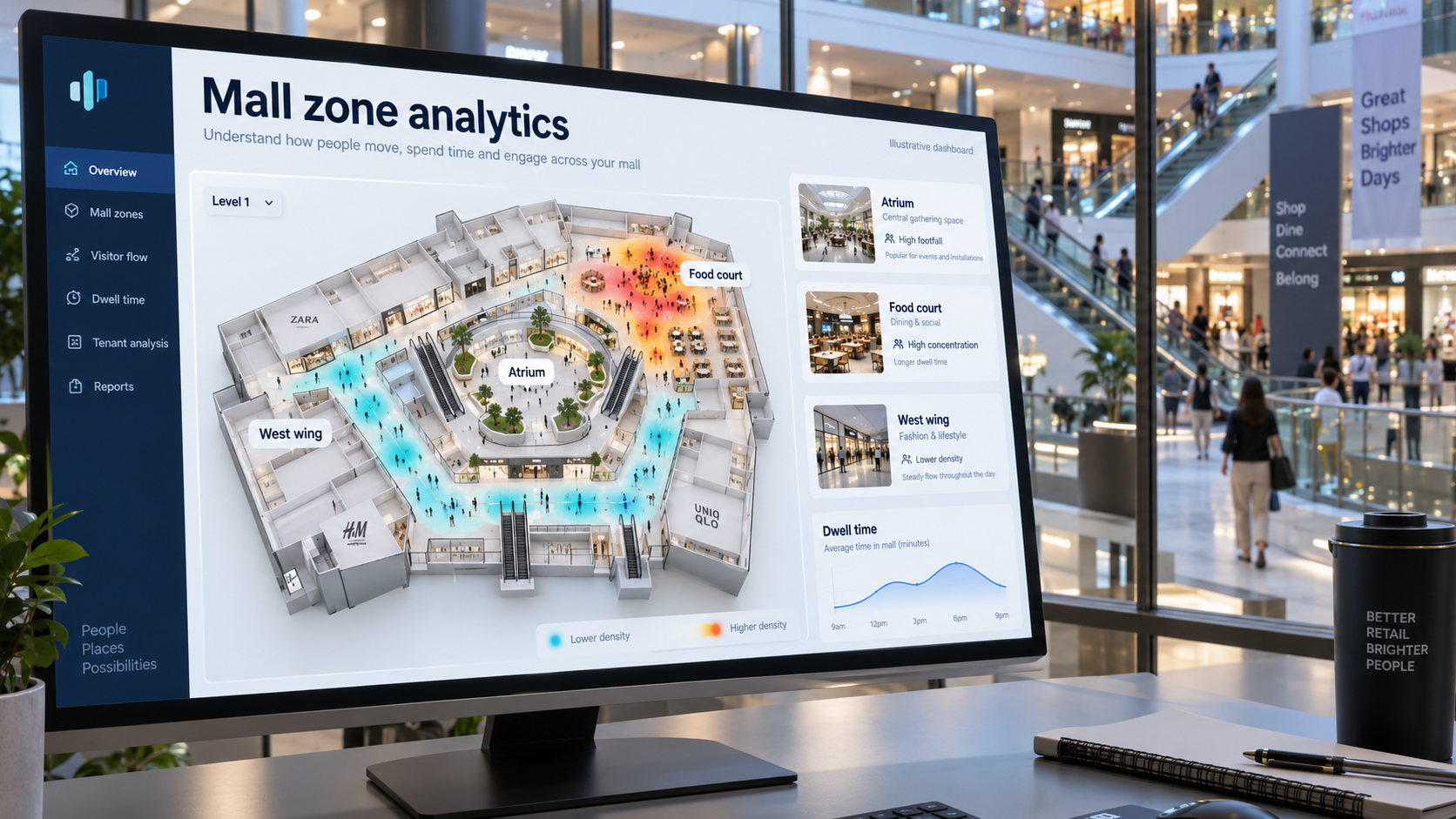
Corridors, anchors and unit frontages
Nano Prime maps zones on corridors, entrances, escalator landings, food courts and unit frontages. That shows flow between anchors as well as capture rate per unit. Nano Outdoor covers external entrances and car park approaches.
- Tenant mix planning and lease negotiation
- Common-area management
- Unit-level capture rate shared with tenants as part of the leasing package
Industries we serve
Heatmap and zone analytics is part of V-Count’s retail store analytics, alongside people counting, queue management, age & gender recognition, staff exclusion and storefront analytics.
Heat mapping and zone analytics FAQ
Heatmaps, zones, dwell time and store layout with V-Count Nano Prime and BoostBI.
Ask an expertWhat is retail heat mapping?
Retail heat mapping is a colour map of where shoppers walk and stop inside a store. V-Count does it with Nano Prime sensors, which record anonymous movement by zone, and BoostBI, which turns that movement into heatmaps, dwell times and zone visits.
What are the best tools for creating a retail store heat map?
The realistic options fall into three groups, and V-Count’s Nano Prime belongs to the most reliable one: a purpose-built overhead sensor for heatmaps, zone counts, dwell and visitor flow, feeding BoostBI.
Wi-Fi and mobile-signal tools are cheap to deploy but only see shoppers carrying a detectable device, so zone figures are a sample rather than a count. Software-only tools that re-use existing CCTV are quick to pilot, but accuracy depends on camera angles that were chosen for security, not analytics.
Purpose-built overhead sensors with a zone analytics platform give the most reliable dwell and zone counts, because the hardware is positioned for measurement. When comparing vendors, ask how zones are defined, whether entrance counts and zone counts appear in the same reports, and whether you can export raw zone data.
What is the difference between a store heat map and a retail heat map?
They describe the same measurement at different scopes, and V-Count’s Nano Prime produces both views. “Store heat map” usually refers to one location and its floor plan. “Retail heat mapping” is the broader practice, including chain-wide comparison, mall corridors and multi-floor sites. The underlying measurement is identical: anonymous movement and dwell, rendered over a plan.
Use the term your stakeholders use, and ask vendors about the method, not the label.
Do heatmaps require cameras that identify individual shoppers?
No. V-Count’s Nano Prime measures anonymously on the device: it records that a person occupied a zone for a period of time, without storing faces or building identities. The record that reaches BoostBI is a count and a duration attached to a zone and a timestamp. This is what makes heatmap and zone analytics deployable in privacy-regulated markets, and it is worth confirming with any vendor before installation.
How long does it take to collect enough data for a reliable store heat map?
V-Count’s Nano Prime collects zone data continuously, and you will see a usable pattern within a few days, but do not act on it yet. Retail traffic is strongly weekly, so a minimum of two to four full weeks gives you weekday and weekend behaviour and smooths out one unusual day.
If you are measuring a promotion or a layout change, capture the same length of period before and after so the comparison is like for like. For seasonal categories, compare against the same weeks last year rather than last month.
Can heatmap and zone analytics work in a shopping mall with many tenants?
Yes. V-Count’s Nano Prime maps zones on corridors, entrances, escalator landings, food courts and unit frontages, and malls are one of its strongest use cases. That gives you flow between anchors as well as capture rate per unit.
Nano Outdoor covers external entrances and car park approaches. Landlords typically use the data for tenant mix planning, lease negotiation and common-area management, and share unit-level capture rate with tenants as part of the leasing package.
What is dwell time analytics and why does it matter more than footfall?
V-Count’s Nano Prime measures dwell time per zone: how long visitors stay in a defined area. It matters because footfall alone cannot distinguish between a shopper who stopped and considered a product and one who walked past it on the way to the till.
A zone with high visits and very low dwell is a corridor, not a destination, and merchandising it like a destination wastes stock and space. Dwell paired with zone counts is what lets you calculate capture rate and, with POS data, conversion by zone.
How many zones should a store define?
Fewer than most people expect. Start with the areas you can actually act on: entrance and window, each major category, fitting rooms or service desk, and the checkout queue. For a typical specialty store that is five to ten zones. Too many small zones produce noisy numbers and reports nobody reads.
Zones are software-defined in V-Count BoostBI, so you can split a zone later once you know a category deserves finer detail, or add a temporary zone around a seasonal promotion and remove it afterwards.
What tools are most effective for retail store space optimization?
V-Count’s Nano Prime and BoostBI optimise store space with measured data: Nano Prime records zone visits, dwell time, heatmaps and visitor flow, and BoostBI compares them with sales by zone. Space and layout tools fall into three types: planogram and space-planning software that allocates shelf space, footfall and zone analytics that show where shoppers actually go and stop, and sales-per-square-foot reporting that ties space to revenue.
Use zone analytics to find cold areas and corridors, test one layout change at a time for two to four weeks, and keep the version that lifts dwell and sales in the target zone.
See where your shoppers go
Nano Prime measures zone visits, dwell time, heatmaps and visitor flow on the device, and BoostBI puts them next to your entrance counts and sales. Send us a floor plan and we will show you how zones would work in your store.
Request a Demo